
Event Photography Packages: What Photographers Should Include
Build event photography packages that clearly explain coverage, deliverables, pricing, image-use terms, and the final gallery experience.
Event photography packages are written offers that define what you will photograph, who and what you will bring, what the client will receive, and how much the work will cost. They should also explain what happens when the event schedule changes and how the finished photographs may be used.
Those details change between a conference, awards dinner, launch party, and private celebration. The package should reflect the event in front of you instead of forcing every client into the same block of hours.
Here is what to include before the event begins.
Start with the event brief
Before you quote the job, ask for the event schedule and the reason the client is hiring you. An internal celebration needs different coverage from a product launch with same-day press needs.
Your brief should answer a few practical questions:
- What is the event, and where will it take place?
- Which moments matter most to the client?
- Who is the main contact before and during the event?
- Where will the finished photographs be used?
- Are any guests, spaces, or activities off limits?
Use those answers to shape your shot plan, staffing, turnaround, and price.
Set a clear coverage window
“Four hours of coverage” is not enough if nobody knows when those hours begin. Give the start and end times, the location, and the part of the schedule covered by the package.
Be specific about anything that happens outside the main event. Setup photographs, early guest arrivals, rehearsals, formal portraits, and after-parties can all extend the working day. Put them inside the coverage window or show them as optional time.
If the package covers several venues, account for travel in the schedule and usable shooting time.
Turn the schedule into a workable shot plan
An event schedule tells you when things happen. A shot plan tells you what the client expects you to capture when they do.
Mark the non-repeatable moments first. These may include an award presentation, a keynote entrance, a ribbon cutting, or a surprise announcement. Then add the people and details the client wants documented. A conference sponsor may care about branding in the room, while a private client may care more about specific family groups.
Avoid promising every photograph on a long list because scheduled moments can overlap. Separate must-have priorities from useful extras, then identify the client contact who can make quick decisions.
Explain who and what you are bringing
The client should know whether the package includes one photographer or a team. If a second photographer is optional, explain what that person adds. They may cover a second room, capture guest reactions during a speech, or run a separate portrait setup.
List production items when they affect the offer. Extra lighting, a backdrop, an assistant, permits, or rented equipment may be included or priced separately. A staffed headshot station is a different job from photographing candid arrivals, even when both happen at the same event.
Define the finished photographs and turnaround
Tell the client what they will receive. If you quote an image quantity, label it as an estimate, minimum, or fixed number. Match that number to the event’s length and pace.
The delivery details may include:
- A curated set of edited photographs
- High-resolution files for print or archiving
- Optimized files for approved online use
- A small preview selection for immediate publicity
- The standard gallery delivery date
- The price and timing for rush delivery
Define “edited” in plain language. Standard corrections are different from extensive retouching or compositing. If those services cost extra, say so upfront.
Price the full event workload
The hours spent at the event are only one part of the price. Include the time and costs attached to preparation, travel, editing, delivery, administration, and hired help.
A useful starting formula is:
Total working time + direct event costs + image-use fee
Convert working time into a sustainable cost using your expenses, taxes, target income, and billable hours. This creates a pricing floor based on your business.
Keep the client-facing proposal simpler. Show the package price, payment schedule, and rates for likely additions such as another hour, a second photographer, rush previews, or extra travel.
Explain delays, additions, and cancellations
Your package should explain what happens if the event runs late or the client adds something on the day.
Set an additional hourly rate and identify who can approve extra time. A simple confirmation by the authorized client contact can prevent uncertainty while the event is still moving. Your contract should then explain how that approval is documented and billed.
Cancellation, rescheduling, and booking-payment terms belong in the agreement. State the deadlines and financial consequences clearly. The legal effect of terms such as “deposit” and “retainer” can vary, so have your standard agreement reviewed by a qualified lawyer in your location.
State how the client may use the photographs
Business clients often need photographs for defined promotional uses. Summarize that permission so the client understands what the fee includes.
In the United States, the photographer is generally the author and initial copyright owner. Employment, work-made-for-hire arrangements, and written transfers can change that result. The U.S. Copyright Office’s guidance for photographers explains the ownership baseline and the major exceptions.
A usage summary might permit photographs on the client’s website, organic social accounts, press releases, and internal communications for a stated period. Paid advertising, sponsor use, resale, exclusivity, or a copyright transfer may require different terms and pricing.
Have a qualified lawyer review your terms, and keep the package summary consistent with the signed agreement.
Make gallery delivery part of the package
State when the gallery will arrive, who will receive access, and which files will be downloadable. Confirm whether one contact or several people need access.
Use clear download labels such as “high resolution for print” and “optimized for social media.” If shareable files are approved deliverables, decide whether they should carry a watermark and align that choice with the usage terms.
With Viewdora’s client gallery features, invited clients receive passwordless email access and can mark favorite photographs. You control when high-resolution files become available, while the studio dashboard keeps client activity and releases in one place. Viewdora also supports optimized social-media downloads.
An example event photography package structure
Package tiers should reflect meaningful differences. Use these examples as a starting point, then set coverage, deliverables, and prices from your own workflow.
| Package | Best suited to | Coverage structure | Delivery | Common additions |
|---|---|---|---|---|
| Focused coverage | A short program or private gathering | One defined event window with one photographer | Curated gallery on the standard timeline | Extra hour or rush preview |
| Full event | A conference day, awards dinner, or launch | Broader schedule with several priority moments | Larger edited gallery with print and online file options | Second photographer or portrait setup |
| Custom production | Multi-day or multi-location events | Custom schedule, crew, and production plan | Phased delivery or campaign-specific files | On-site editing, sponsor galleries, or extended licensing |
If two packages vary only by a small image-count change, they may not solve genuinely different client needs.
Frequently asked questions
Q: How much should an event photography package cost?
A: Start with the complete workload, direct expenses, turnaround, and licensed use. The price should cover work before, during, and after the event.
Q: How many photographs should be included?
A: Estimate from the event schedule, coverage time, and number of meaningful moments. Tell the client whether the number is approximate, a guaranteed minimum, or fixed. This keeps a planning estimate from becoming an accidental promise.
Q: Should overtime be included in the package?
A: Include only the coverage time you have priced. List the additional hourly rate separately and identify who can approve it during the event. That gives the client flexibility without leaving the end time open.
Q: How should event photographs be delivered?
A: Use one organized gallery for review and approved downloads. Label high-resolution and online versions by purpose, and send access to the intended recipients rather than relying on a forwarded login email.
Make the unexpected easier to handle
Useful event photography packages give you and the client a clear answer when the schedule shifts, another hour is needed, or a new request appears.
Once the event is over, Viewdora keeps the next steps organized through one client gallery. The client can review photographs and choose favorites, while you control the release of finished files.
Start a free 14-day Viewdora trial and test the delivery workflow with a sample event gallery. No credit card is required.
Ready to protect your work?
Start your free trialRelated posts
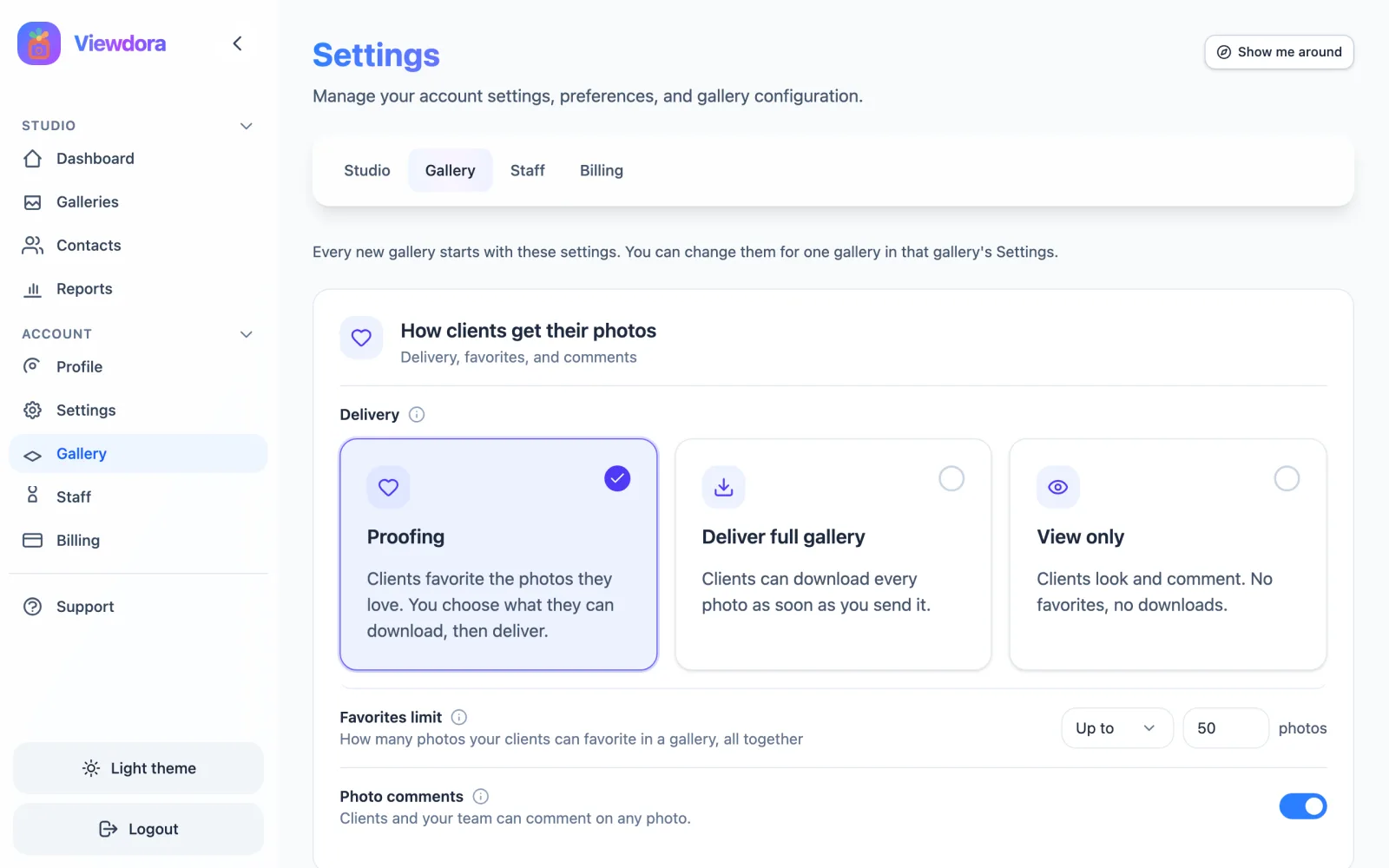
New in Viewdora: Client Photo Gallery Defaults, Closing Dates, and Activity
Set client photo gallery defaults once, close galleries on a date you choose, let clients ask for more favorites, and see every view, favorite, and download.
Read more →
Photography Mini Sessions: A Practical Guide for Photographers
Plan, price, schedule, and deliver photography mini sessions without turning them into rushed full sessions.
Read more →
Language Support in Viewdora Galleries
Set the language for each Viewdora gallery and give Spanish-speaking clients a clear, seamless gallery experience in their language.
Read more →